Discover and monitor network devices
Secura RMM finds your network equipment and displays device status, switch ports, UPS power and toner alongside your servers and PCs, with no extra appliance.
Enable the collector role on an existing Secura agent inside your network. It discovers network devices, reads them over SNMP and reports to the panel without a dedicated server, virtual appliance or inbound port for the panel.
Find your devices automatically
- The collector scans the subnets you allow once a day or whenever you select Scan now.
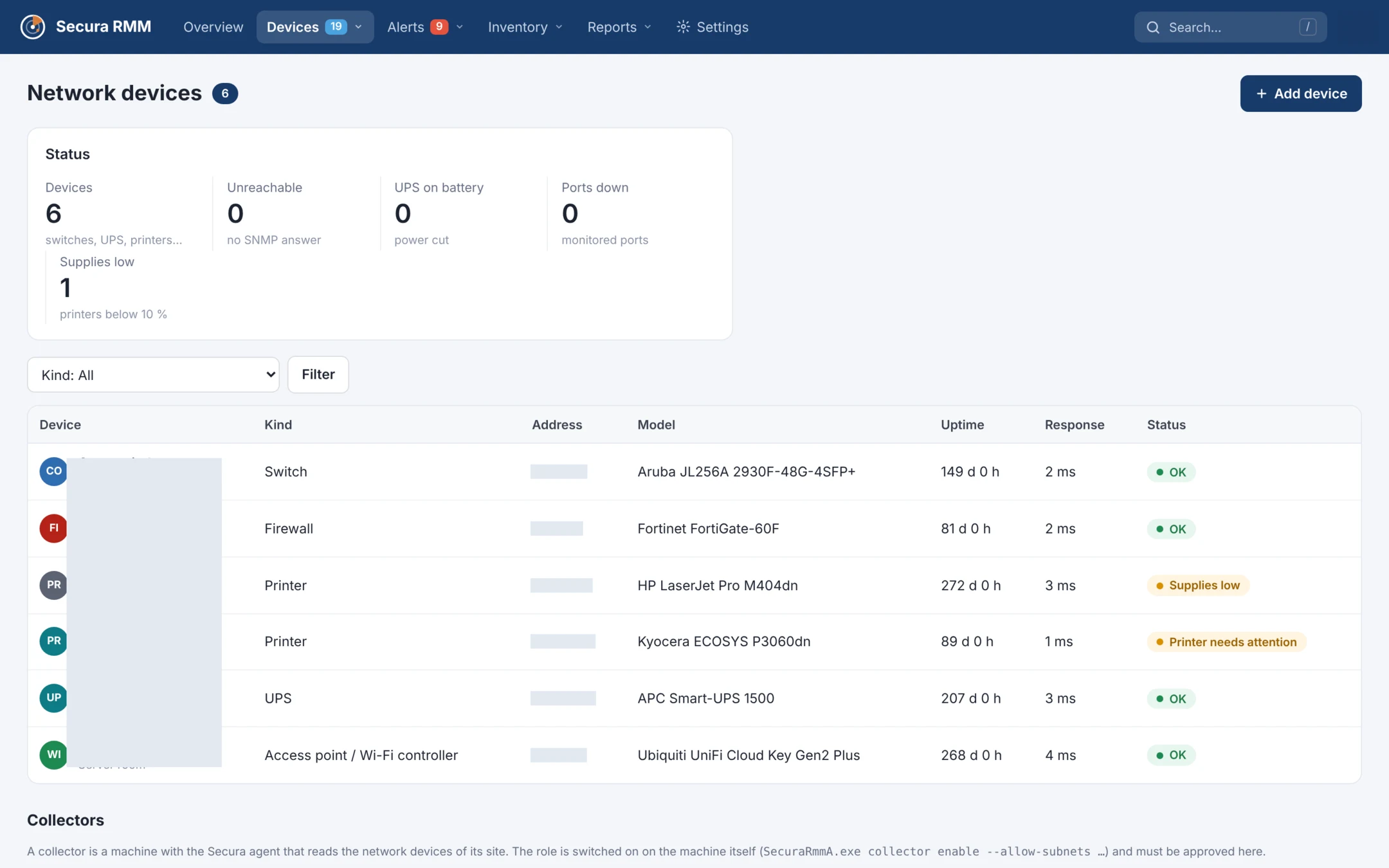
- Each discovered device is listed with its address, name, model, MAC address and type, such as a switch, printer, UPS, NAS or firewall.
- Machines already running a Secura agent are marked so you can see what is covered.
- Select Add to start monitoring a device. Monitoring and alerts begin only after you add it.
What you see
Switches, routers, firewalls and access points
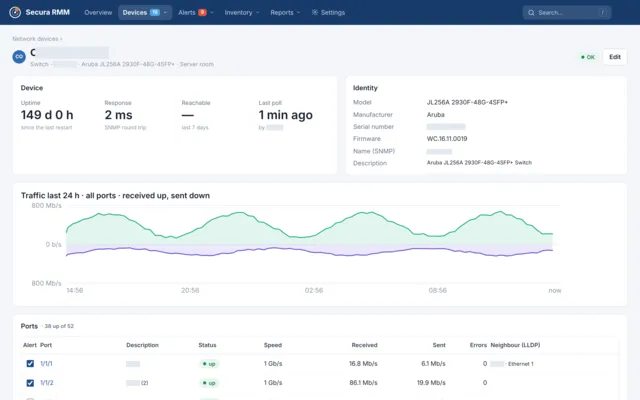
Check uptime and response time, then review each port’s status, speed, traffic and errors. See LLDP neighbours, device model, serial number and firmware.
UPS
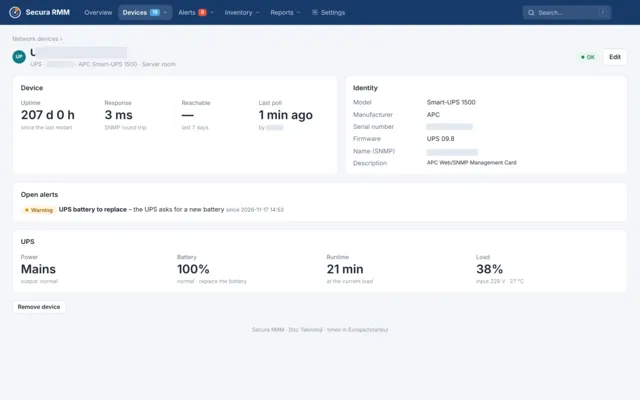
Check mains or battery operation, battery charge, estimated runtime, load, input voltage and temperature. See when the battery needs replacing.
Printers
Check toner and ink levels, page counts and errors such as paper jams.
Alerts and reports
- A monitored device becomes unreachable.
- A UPS switches to battery or needs a replacement battery.
- A port you chose to monitor goes down, such as an uplink or a server-facing port.
- Toner falls below 10% or a printer reports a problem.
- The Availability, power and network report includes UPS and printers.
Safe by design
Read-only collector
The collector uses SNMP GET to read device data. It never changes device settings.
Limited discovery
Discovery uses ping and SNMP identification within the subnets you allow. It does not scan ports.
Recommended protocol
Use SNMPv3 with SHA or SHA-256 authentication and AES encryption. SNMPv2c is also supported and displays a warning in the panel.
Local enablement and approval
Enable the collector on the machine and allow only the subnets it should monitor. A panel administrator must approve it before use.
Encrypted credentials
Credentials are encrypted on the server and are never displayed again.
Getting started
- On a Windows machine running the agent, enable the collector. Replace the example subnet with one you are authorised to monitor.
SecuraRmmA.exe collector enable --allow-subnets 10.10.0.0/24 - Approve the collector in the panel.
- Within minutes, your devices appear under Found in the network. Select Add for the devices you want to monitor.
Panel screenshots