
Monitor Linux servers in the same panel
See your Linux servers alongside Windows machines. Track inventory, pending security updates and system health from one panel.
Secura RmmA for Linux is a lightweight systemd agent for Debian, Ubuntu, Proxmox VE, Red Hat Enterprise Linux, Rocky Linux, AlmaLinux and CentOS. It supports x86-64 and ARM64.
What you see
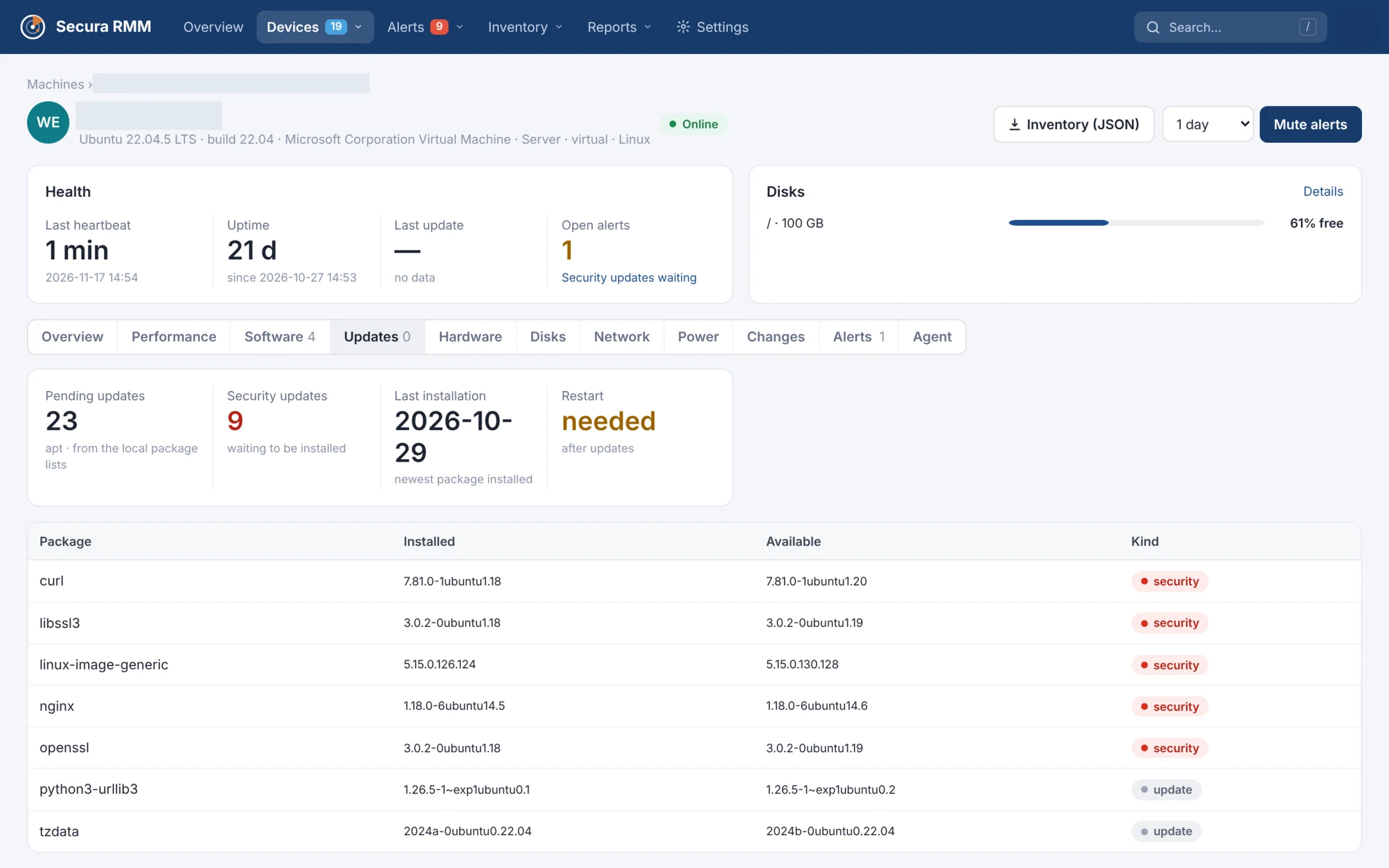
Pending updates
See what is waiting, which packages have security updates and whether the server needs a restart. Each package lists its installed and available versions.
Health
Check failed services, disk space and uptime. Review CPU and memory usage over time.
Inventory
See the distribution and version, kernel, physical or virtual machine details, CPU, memory, disks, network and installed packages.
Support status
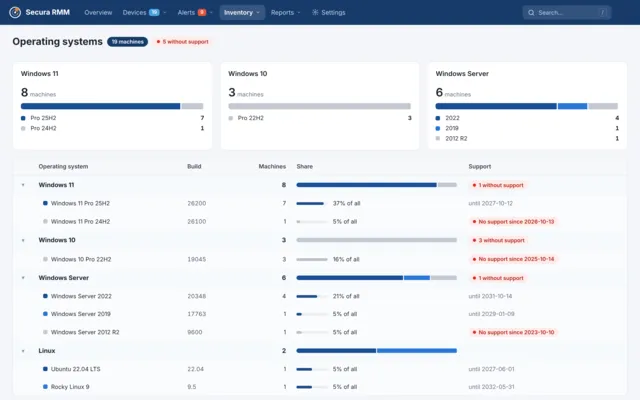
See distributions that have reached the end of standard security maintenance. Ubuntu 20.04 LTS is one example. Expanded Security Maintenance (ESM) is available separately.
Alerts and reports
- Receive email and panel alerts for pending security updates, failed services, full disks and servers that stop reporting.
- Export the Linux updates report as PDF or Excel. Linux servers also appear in the asset, end-of-support and availability reports.
Safe by design
Read-only agent
The agent reads and reports. It never installs system updates, changes settings or runs remote commands.
Outbound HTTPS
The agent connects to the panel over HTTPS and opens no listening port for it.
Signed agent updates
Secura RmmA installs only agent versions signed by Doz Teknoloji. If the new version fails to start, the agent rolls back to the previous version automatically.
Data hosting
Monitoring data is stored on Secura RMM servers and is never sent to third parties.
Getting started
- Download the Linux agent archive and create an enrollment key in the panel.
- Extract the archive in an empty directory and install the service with your enrollment key.
tar xzf secura-rmma-linux.tar.gz &&
cd secura-rmma-linux-*/ &&
sudo ./install.sh --key YOUR-ENROLLMENT-KEY
The server appears in the panel within a few minutes.
Panel screenshots
Frequently asked questions
Does the agent install system updates?
The agent lists pending updates so your team can plan and install them.
Does it need root?
Root privileges are required for service installation. The agent reads the package manager’s local lists.
Which distributions and architectures are supported?
Debian, Ubuntu, Proxmox VE, RHEL, Rocky Linux, AlmaLinux and CentOS with systemd, on x86-64 or ARM64.